
 mlie
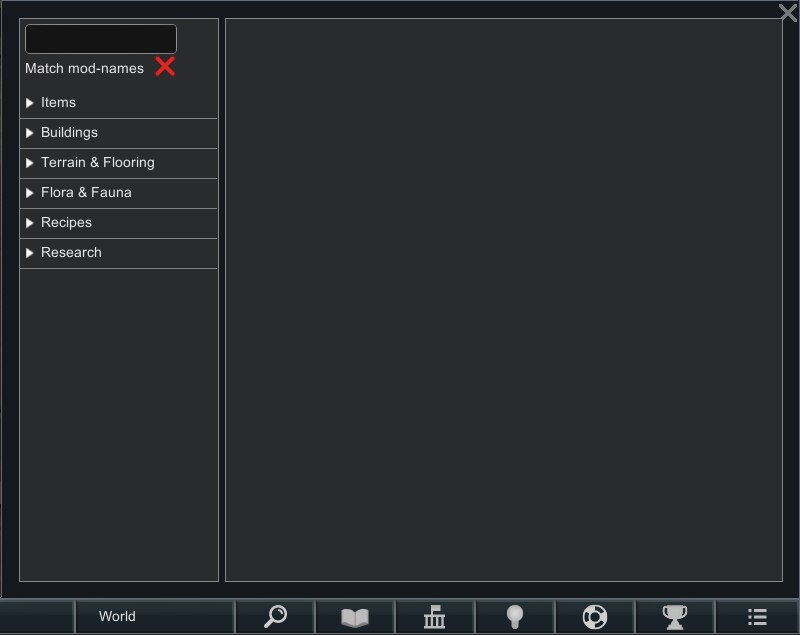
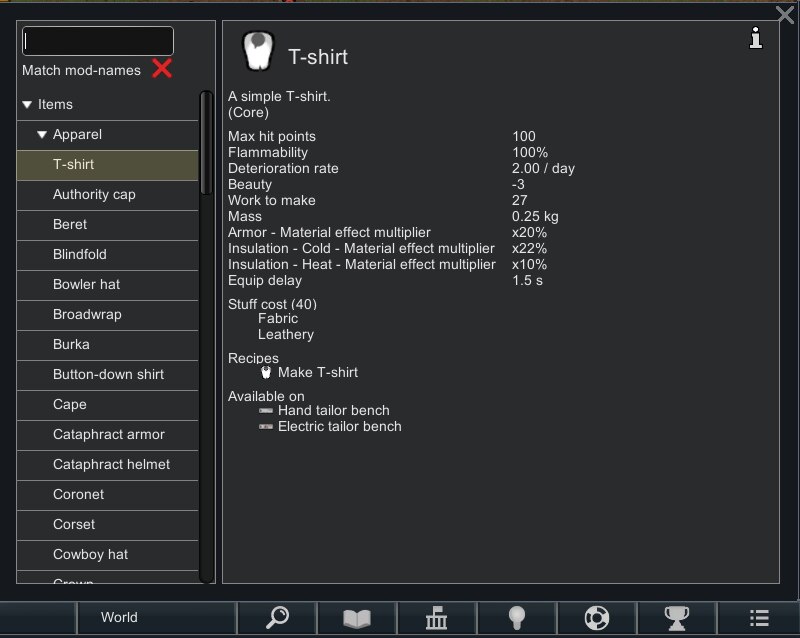
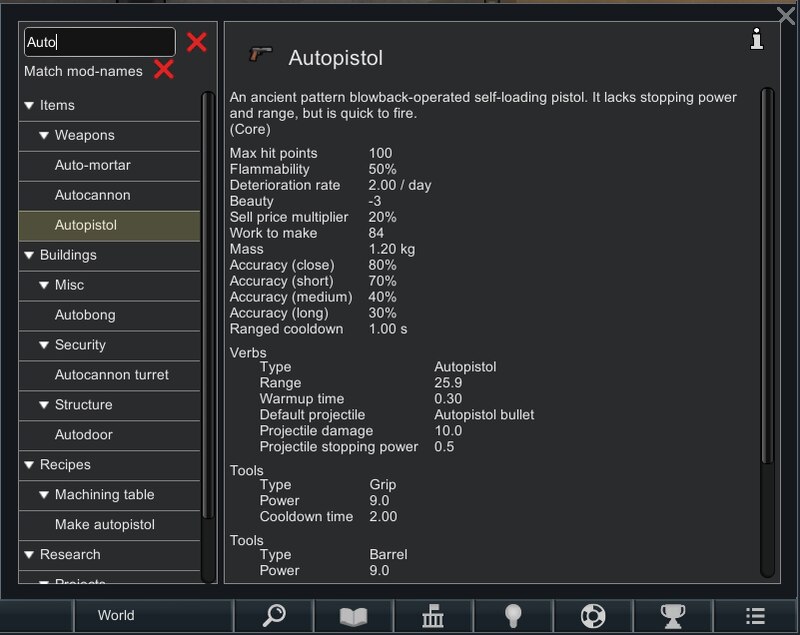
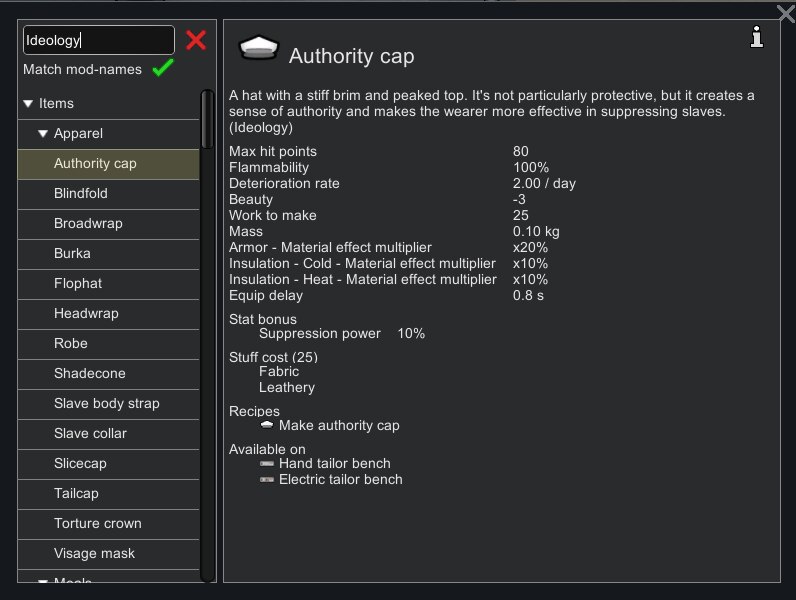
mlieWikiRim Mod adds a comprehensive in-game database that lets you browse detailed information about items, research, weapons, and more. Based on the original HelpTab mod, this updated fork expands functionality and provides a powerful reference tool for exploring both vanilla and modded content.
WikiRim Mod Features
WikiRim Mod compiles game data into a structured, searchable catalog, making it easier to understand how everything in RimWorld works without digging into XML files.
Core functionality
- Integrated database: Access detailed information about items, research, weapons, and mechanics directly in-game.
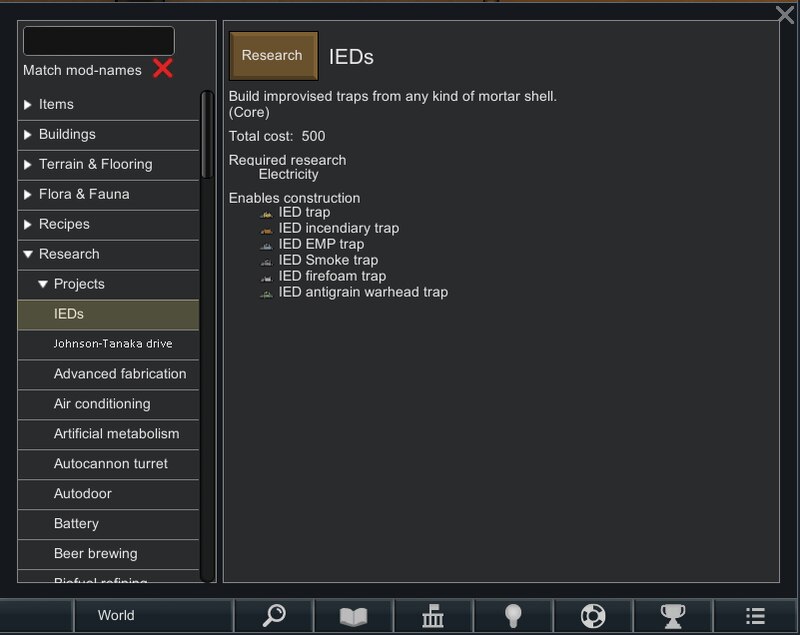
- Connected navigation: Browse linked entries to explore relationships between objects, recipes, and research paths.
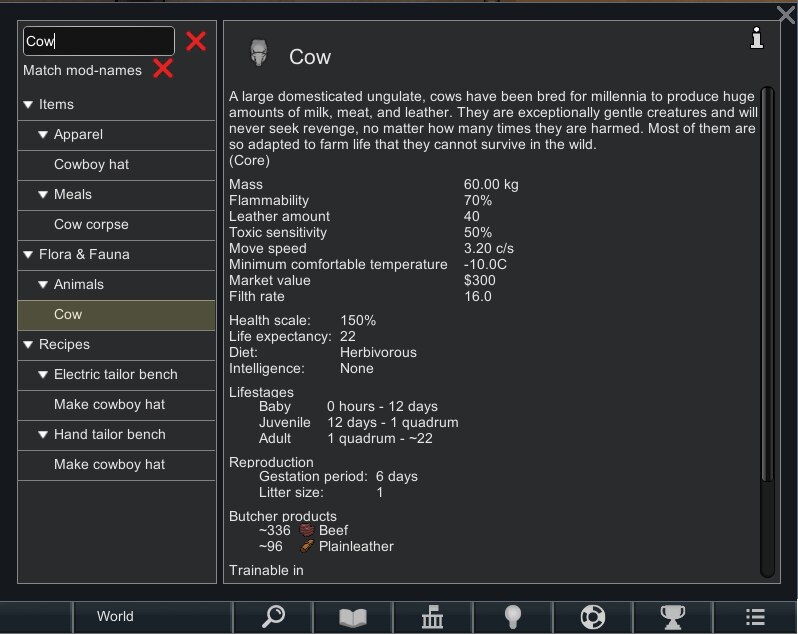
- Search system: Quickly find entries using text search, including research names.
- Mod support: Automatically includes content added by other mods.
Recent improvements
- Expanded search: Search results are now limited to 200 entries for better performance.
- Weapon details: Added more detailed information about weapons.
- Stuff types: Displays all available material types.
- Improved compatibility: Races without defined leather amounts now display correctly.
- UI enhancements: Added an info icon to relevant wiki pages for easier access to details.
- Mod filtering: Added option to match results based on mod names.
Compatibility notes
- Project status: WikiRim Mod is no longer supported and will not receive further updates.
- Functionality: Despite being discontinued, the mod remains usable as a reference tool.
When troubleshooting the WikiRim Mod:
- See if the error persists if you just have this mod and its requirements active.
- If not, try adding your other mods until it happens again.
- Always post your log using the Log Uploader.
- For best support, please use the Discord channel for error reporting.
- Do not report errors by making a discussion thread, as no notification is received that way.
- If you have the solution for a problem, please post it to the GitHub repository.
- Use RimSort to sort your mods.
Additional credits: Neronix17, NotFood, Skyarkhangel, Fluffy.