 mlie
mlieExport and Import Mod Settings Mod adds a simple way to export and import mod settings in RimWorld without needing each mod to implement that functionality separately. It is especially useful for players building mod packs who want to bundle specific settings with their pack.
Export and Import Mod Settings Features
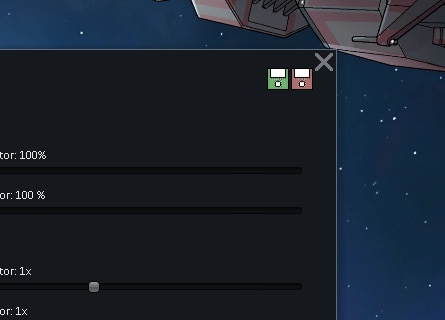
This mod adds two small buttons at the top of the mod options window for all supported mods, allowing settings to be exported to a file and imported again later.
- Per-mod export and import: Adds export and import buttons to the top of each supported mod’s settings window.
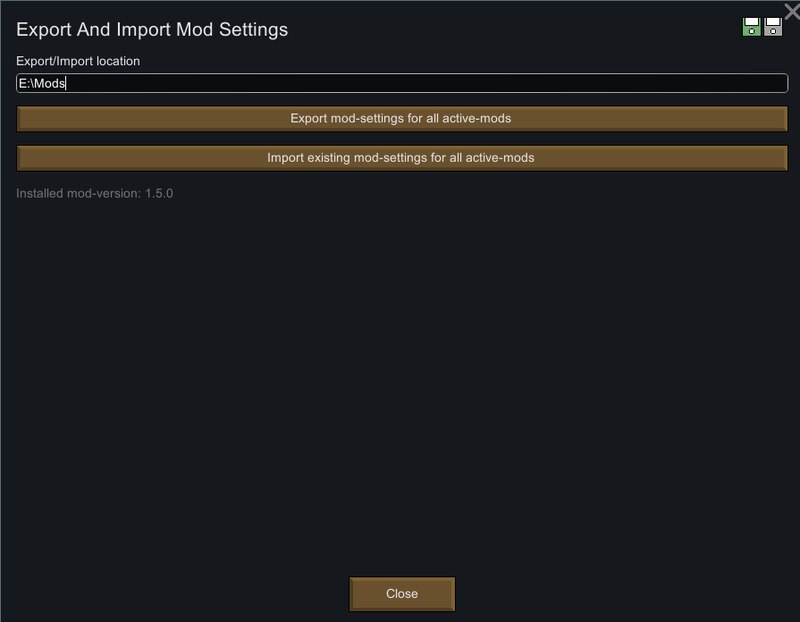
- Custom export location: Exports settings to a folder, using the Desktop by default, with the location configurable in this mod’s settings.
- All active mods support: Includes an option to export or import the settings of all active mods from this mod’s own settings window.
- Automatic reload: Imported settings overwrite the current ones, and the mod is reloaded so the new settings can be applied.
Compatibility notes
- HugsLib: Excluded from this functionality because it uses its own separate options file for mod settings.
- Import behavior: Importing overwrites the current settings file for the selected mod.
- Reload warnings: Reloading a mod after import may trigger warnings or errors depending on how that mod applies its settings.
- Restart recommendation: If imported settings do not seem to apply correctly, restarting the game is recommended.