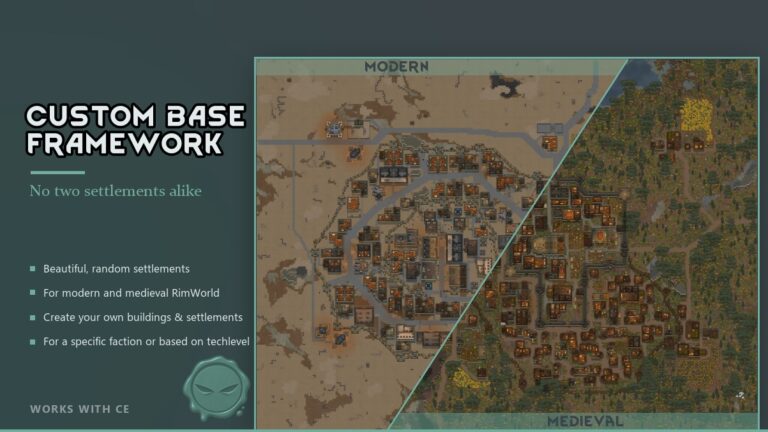
Custom Base Framework Mod generates NPC settlements from reusable buildings, with faction-specific layouts, roads, fields, defenses and inhabitants. An in-game editor creates buildings, settlement plans and pawns, then exports their XML.
Custom Base Framework Mod Features
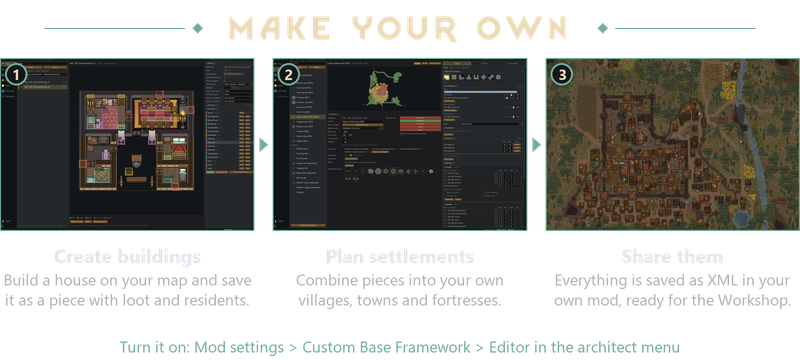
Custom Base Framework Mod builds NPC settlements from reusable buildings (pieces). A settlement plan specifies the faction/tech-level it belongs to, pieces that shall be used, fortifications and inhabitants. The settlement generator arranges them around the terrain of each map, with connecting roads, fields and animal pens.
The in-game editor lets you edit pieces, design settlements and create pawns, then generates the XML for you.
Included content
You don’t have to create anything. Custom Base Framework Mod comes with 600 pre-built structures, loot tables and settlements to replace eligible NPC faction bases.
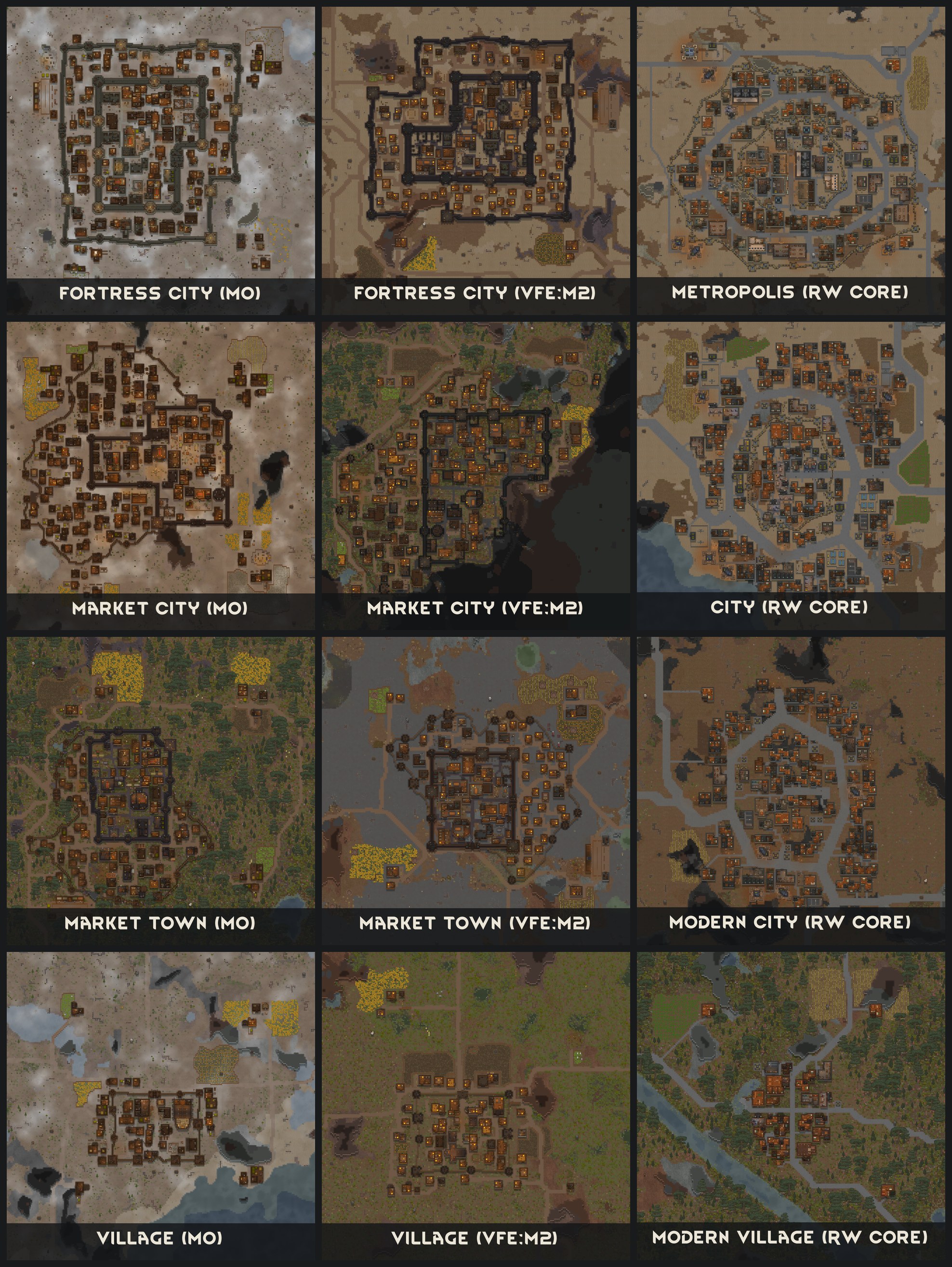
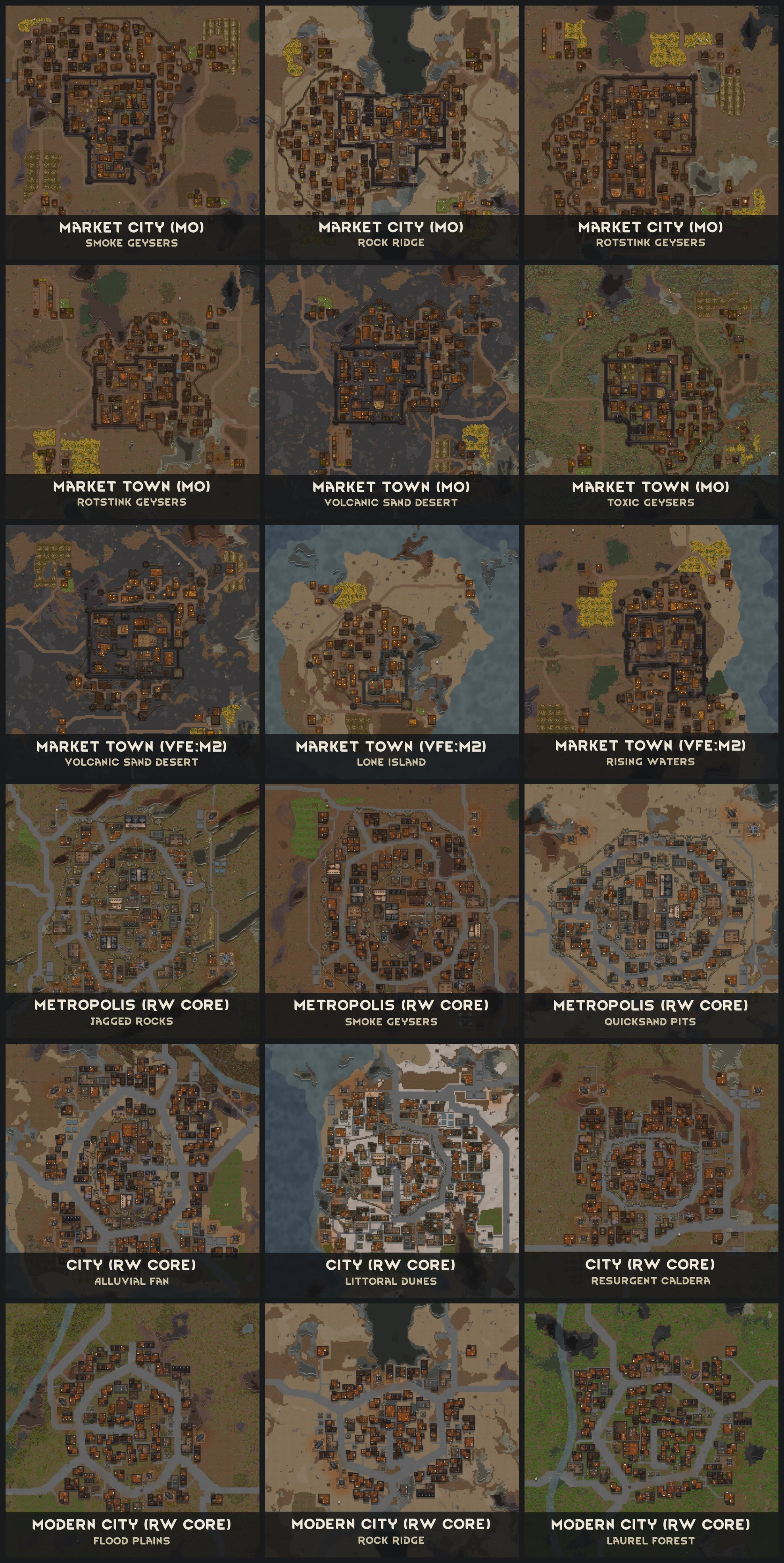
- Base game content: modern villages, towns, large towns and a metropolis for industrial through ultra-tech factions, plus quest camps. Homes, workshops, defensive positions and farms are included.
- Medieval Overhaul: villages, market towns, large market towns, fortresses and fortress cities, with houses, workshops, churches, military buildings, fields and pens. Also includes tribal camps, quest camps and two settlement quests.
- Vanilla Factions Expanded – Medieval 2: its own set of villages, market towns, large market towns and fortress cities, using base game and VFE Medieval 2 objects. This set works without Medieval Overhaul.
- Settlement plans can for a faction can be switched off in Custom Base Framework Mod‘s settings.
The modern metropolis and the medieval large market town and fortress city are the most heavily fortified settlements. Expect a large garrison of at least 100 pawns when attacking one of these cities.
Additional content and integrations
- World Domination 2.0 (Beta): settlement plans matched to its tiers and outpost types, including farming, logging, production and war camps. Modern content is included, with medieval variants for Medieval Overhaul and VFE Medieval 2. The settings control takeover and the mix of planned loot and World Domination loot.
- A Rim of Ice and Fire + Medieval Overhaul (Beta): buildings and plans for the houses’ village, town and garrison holdings. A Rim of Ice and Fire retains control of their defenders, levies and stores.
- Dark Ages: Crypts and Tombs: additional cemeteries for the Medieval Overhaul and VFE Medieval 2 sets, using its sarcophagi, urns and memorials.
- Vanilla Landmarks Expanded: river landmarks become a plain river on Custom Base Framework Mod settlement maps, other landmarks stay at the map edge.
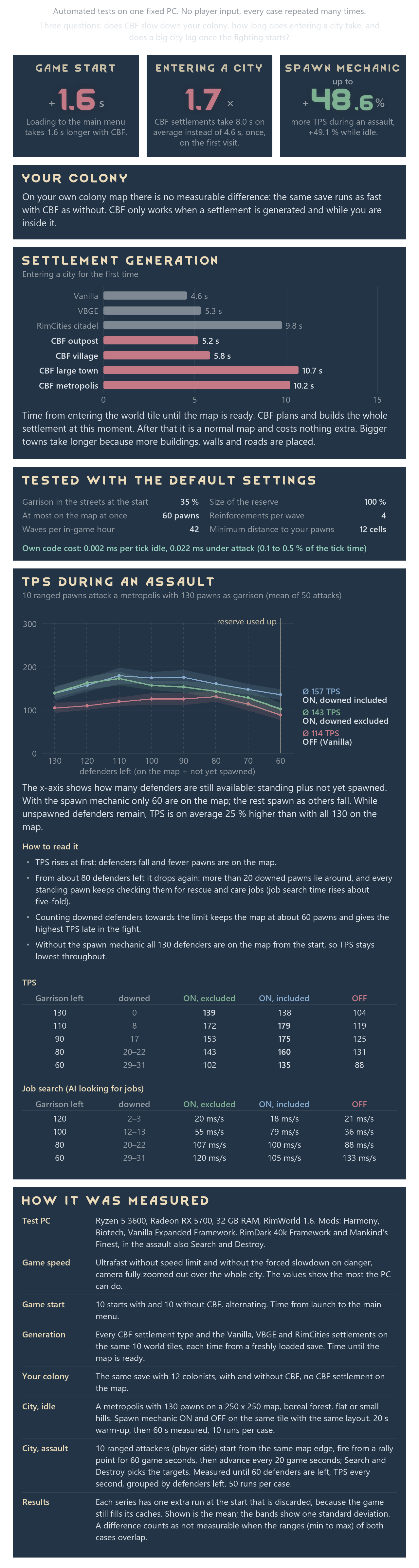
Performance
The editor
Creation of a Piece
Build on the map, import into the editor, add anchors and export. Group houses, workshops, gatehouses, wall sections and annexes into categories for your settlement plans.
Mark areas inside a piece for furniture, loot or inhabitants. A kitchen can choose between different shelves and supplies. A house can have optional beds, residents and a shed attached outside. You decide what is fixed and where variation is allowed.
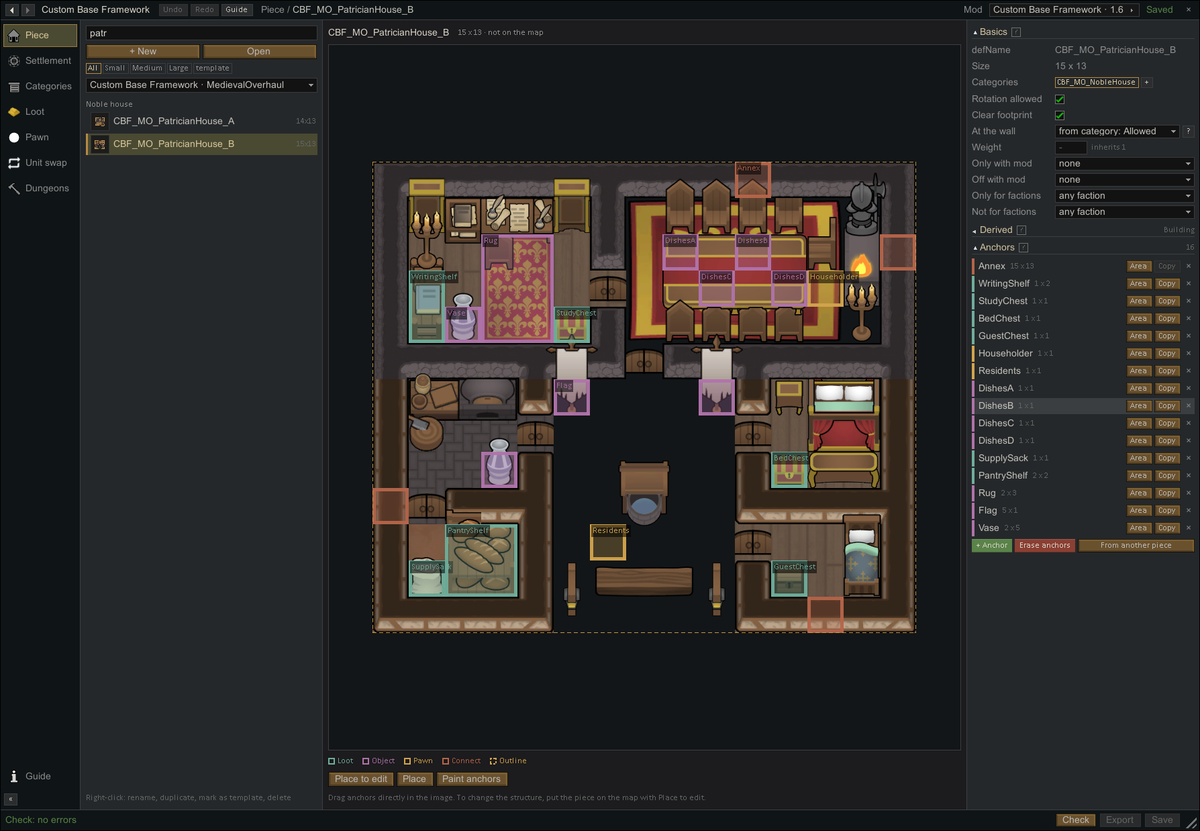
– A house in the Piece editor, with marked areas for variable furnishings, loot, residents and optional annexes.
Creation of a Settlement
Choose the buildings, group them into districts and give each ward its own fortifications, defenders and ground surfaces. Add fields and animal pens, decide which factions use the plan, then preview and test the result. Custom Base Framework Mod arranges the buildings on the terrain when the settlement map is generated.
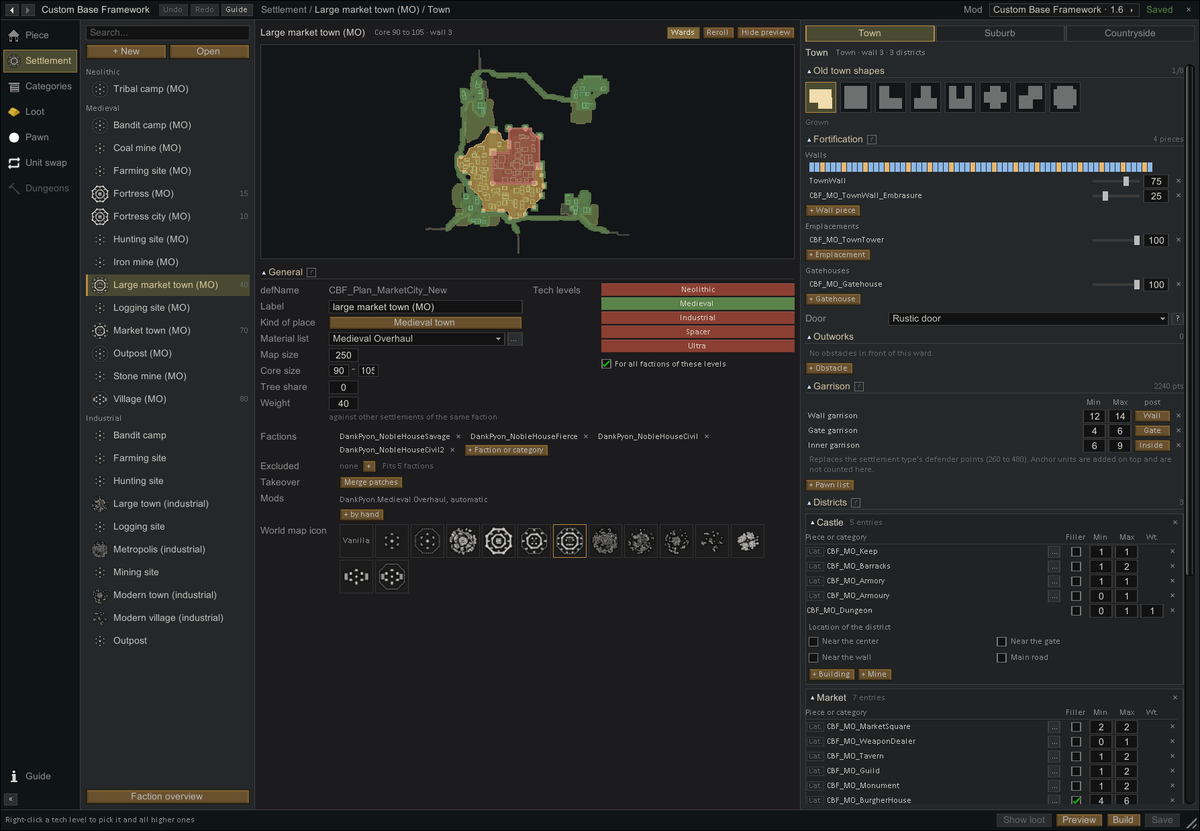
– A market-town plan with separate settings for the town, suburb and countryside.
Content-Lists
Anchors in your pieces place loot, pawns and objects, or connect buildings.
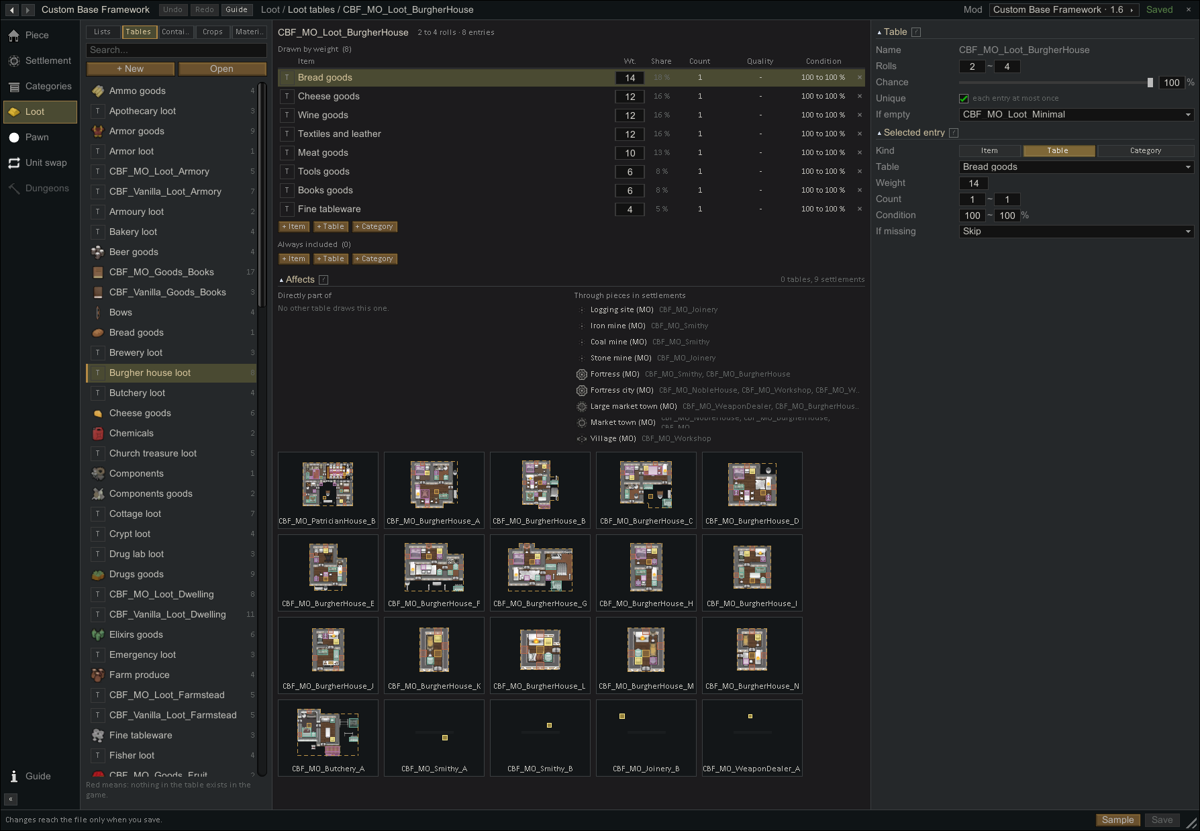
- Objects and loot: choose which shelves, crates or decorations fit an area, then define their contents with reusable loot tables. Set quantities, quality, condition and selection weights.
- Pawns: create pawn kinds with their own equipment, skills and traits, preview their appearance, and combine them into lists for guards, residents or animals.
- Faction identity: assign faction-specific units and flags while keeping shared building designs and pawn lists.
- Materials: define construction choices for walls, doors, roads and other roles, with alternatives for different content packs.
Export directly into your mod
Create or select a local mod in the editor. New definitions are saved there automatically, and changes to supported content from other mods become patches. The editor also records the mod dependencies used by your content.
To get started: load a test colony, open Custom Base Framework Mod‘s mod settings and enable Editor in the architect menu. Open Guide from the editor or mod settings; the same guide is included at Wiki/Open Guide.html in the mod folder.
Gallery


Compatibility notes
Requires Harmony. The source requirements mention RimWorld 1.6; the item page also carries a 1.7 tag. Other listed mods are optional; their content loads only when active.
You can add Custom Base Framework Mod to an existing save. Settlements you have already visited stay as they are. Custom Base Framework Mod generates settlements when you visit a new base.
Next, I want to add multi-level dungeons and hideouts for Medieval Overhaul and rework the quest sites. These are still planned, so I don’t have a release date for them yet.
Development uses Claude and Codex as coding assistants, with regular code audits and decisions about functionality made during development.
The source reports in-game testing during development and 600+ handmade buildings.
I keep this mod patched and updated and work on reported bugs and mod conflicts. Report problems in the comments or in a discussion, with a log and a short note on what happened.
To help me reproduce the problem locally, please also include the Custom Base Framework Mod report, which is automatically generated when settlement generation fails.
You can find it in %UserProfile%\AppData\LocalLow\Ludeon Studios\RimWorld by Ludeon Studios\Custom Base Framework Mod-Reports
Additional credits: Fabricator General for testing and compatibility help.